Leave Your Message
Choosing a Touch Display Panel in 2026 means looking beyond resolution. A bright, sharp image can still disappoint if touch response falters under a shop’s overhead lights or through a protective cover. For market context, IDC’s Worldwide Quarterly Mobile Phone Tracker reported 1.24 billion smartphone shipments in 2024, up 6.4% year over year. That figure is not a touch-panel forecast, but it shows the scale of devices where display and touch performance matter. Steve Jobs captured the central idea at Apple’s 2007 iPhone launch: “We’re going to use the best pointing device in the world…our fingers.” The design lesson still holds. Touch should feel natural, not merely register input.
This guide compares the choices that shape real-world performance: projected capacitive or resistive sensing, panel size, resolution, brightness, cover glass, controller, and interface. Think about the actual setting. Will users wear gloves? Will sunlight hit the screen? Could water, vibration, or a thick cover affect operation? Check response time and multi-touch support alongside optical bonding, power use, and compatibility with the host system. Then review supplier documentation and test a sample in conditions close to deployment. Small details matter.
Specifications can mislead. A higher brightness rating, for example, does not alone guarantee readability outdoors; reflections and bonding also count. Nor does this guide replace application-specific testing. Choose against measurable needs, not a feature list. A panel that works beautifully on a desk may struggle beside a sunlit window.
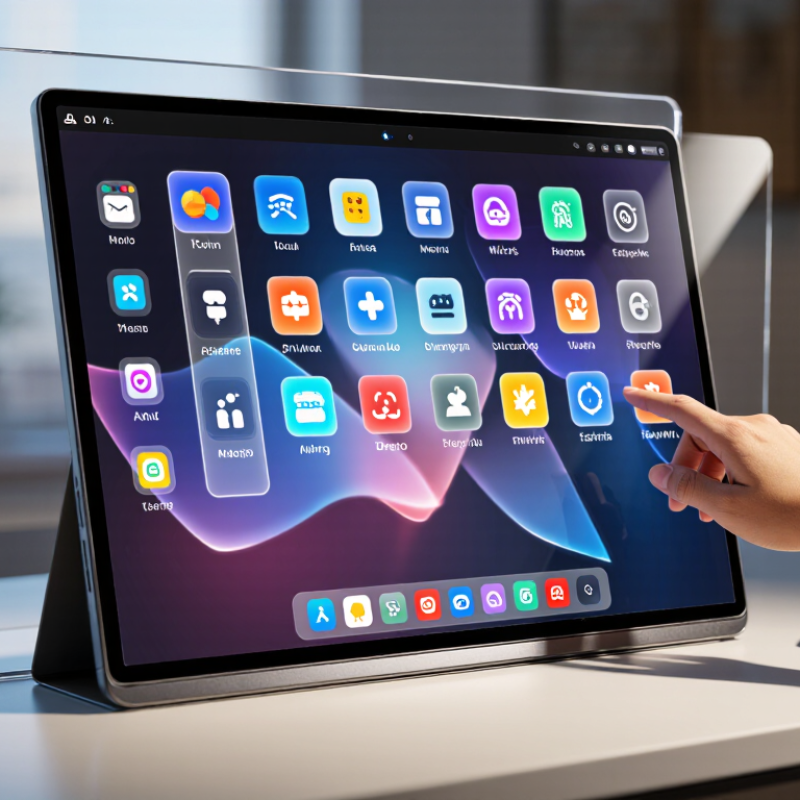
How to Choose a Touch Display Panel in 2026?
Choosing a touch display panel in 2026 starts with the application, not the screen size. A cashier needs fast, simple input. A medical operator needs sharp images and low reflection. A factory controller faces dust, vibration, and frequent cleaning. Grand View Research valued the global touchscreen market at about USD 76 billion in 2023. It expects an 8.7% compound annual growth rate through 2030. More choices can create more mistakes.
Define the users clearly. The World Health Organization reports that 1.3 billion people experience significant disability worldwide. Therefore, accessibility cannot remain an optional feature. Test the panel with gloves, wet fingers, limited dexterity, and different viewing heights. Capacitive technology feels smooth, but it may struggle with thick gloves. A larger touch target may reduce errors. Yet, larger controls can weaken information density. The compromise is not always elegant.
The operating environment decides the panel’s real limits. In 2023, 541,302 industrial robots were installed globally, according to the International Federation of Robotics. Factory interfaces must therefore tolerate repeated use and harsh surroundings. Check temperature range, sunlight readability, chemical resistance, sealing, and impact protection. Optical bonding can reduce glare and condensation. An IP rating alone does not guarantee long-term reliability. Field testing often reveals uncomfortable truths. A panel that performs perfectly indoors may fail beside a hot machine, under direct sunlight, or after months of cleaning.
| How to Choose a Touch Display Panel in 2026? - Define the Application, Users, and Operating Environment | |||||
|---|---|---|---|---|---|
| Application | Typical Users and Input | Operating Environment | Display Starting Point | Touch Panel Considerations | Key Checks Before Selection |
| Indoor self-service kiosk | General public; finger input; occasional long periods of use | Controlled indoor lighting; limited exposure to dust or liquids | About 300–500 cd/m²; choose a size and aspect ratio that suit the interface and viewing distance | Projected capacitive touch is a common choice for responsive multi-touch. Specify a durable cover glass and an appropriate anti-glare finish if reflections are an issue. | Check viewing angles, glare from nearby lighting, cover-glass thickness, accessibility, and expected daily operating hours. |
| Outdoor ticketing or information terminal | Public users; finger input; interaction while standing or moving | Daylight, possible direct sun, rain, dust, and changing temperatures | Often 800–1,500 cd/m² for bright locations; final brightness depends on sunlight, cover glass, and installation angle | Projected capacitive touch can work outdoors when the sensor, controller, and software are designed for the intended moisture conditions. Optical bonding can reduce internal reflections. | Verify sunlight readability, water handling, operating-temperature limits, ingress protection of the assembled unit, and performance with droplets on the surface. |
| Factory machine interface | Operators; bare fingers, work gloves, or stylus depending on the task | Possible dust, vibration, electrical noise, oils, cleaning agents, or temperature variation | Choose brightness and viewing angle for the mounting position; consider a rugged front surface and suitable panel-mount construction | Confirm that capacitive touch supports the actual glove type and thickness. Resistive touch may suit some stylus or glove workflows, but compare durability and input experience. | Test touch accuracy near electrical equipment; confirm glove operation, cleaning compatibility, vibration tolerance, and the complete unit’s environmental ratings. |
| Healthcare or laboratory workstation | Trained staff; finger or gloved input; frequent cleaning | Indoor environment with repeated cleaning and possible exposure to disinfectants | Use a resolution and viewing angle appropriate for text, charts, and the intended viewing distance | Capacitive touch may support glove use when specifically configured and tested. A flush front and sealed surface can simplify cleaning. | Check compatibility with the cleaning agents actually used, glove performance, readability, and applicable electrical-safety and product requirements for the finished device. |
| Vehicle or mobile-equipment control | Drivers or operators; brief, deliberate interactions; gloves may be worn | Vibration, changing ambient light, temperature extremes, and possible condensation | Prioritize readability across the installed viewing angles and lighting conditions; avoid relying on brightness alone to solve reflections | Evaluate touch accuracy under vibration and with the intended gloves. Physical controls may be preferable for functions that must be operated without looking. | Review the application’s vibration and temperature requirements, sunlight performance, mounting, electromagnetic compatibility, and human-factors needs. |
| Retail point-of-sale terminal | Staff and customers; finger input; frequent daily interactions | Indoor retail lighting; regular surface cleaning; occasional spills | Typically moderate indoor brightness; select a size and orientation that fit the counter and transaction workflow | Projected capacitive touch is commonly suited to multi-touch interfaces. Consider a scratch-resistant cover surface and a finish that balances glare control with image clarity. | Check touch response, viewing angle, cleaning procedure, cable routing, mounting stability, and the expected interaction volume. |
| Portable field-service device | Technicians; finger, stylus, or gloved input depending on the work | Indoor and outdoor use; possible rain, dust, drops, and changing temperatures | Choose brightness for the brightest expected use case and account for reflections from the cover surface | Test the complete touch assembly with the intended gloves, stylus, screen protector, and moisture conditions; each can affect input performance. | Confirm drop and ingress requirements for the finished device, battery and thermal constraints, outdoor readability, and operation across the specified temperature range. |
| Selection note: Brightness figures are practical starting points, not universal requirements. Confirm panel specifications for the complete optical stack, touch cover, installation angle, ambient light, and target operating conditions. Validate the assembled display with representative users and real-world tests before production. | |||||