Touch Oled Displays combine self-emitting OLED pixels with an interactive touch-sensing layer. Unlike LCD panels, OLED pixels produce their own light. This removes the need for a separate backlight. The result can be a thinner screen, deeper black levels, and strong contrast in dim environments.
When a finger approaches the surface, the capacitive sensor detects a small change in the electrical field. A controller interprets that change as a position. Software then converts the position into an action, such as opening a menu or moving a map. In practical devices, engineers also measure touch latency, brightness, viewing angles, power use, and surface durability. A responsive screen should feel immediate, even when a user taps quickly with wet or gloved fingers.
The technology is powerful, but it is not flawless. OLED materials may age unevenly, especially when bright icons remain fixed for long periods. Protective glass can reduce reflections, yet it may also affect touch sensitivity. Manufacturing quality matters greatly. Poor calibration can create missed taps or inaccurate gestures. This guide explains how the layers work together, from organic light-emitting materials to sensor electrodes and display controllers. It also considers real-world trade-offs instead of treating every panel as identical. Some technical explanations simplify complex circuits. That is useful, but incomplete. Understanding those limits helps readers compare Touch Oled Displays more reliably for phones, control panels, vehicles, and industrial equipment.
What a Touch OLED Display Is
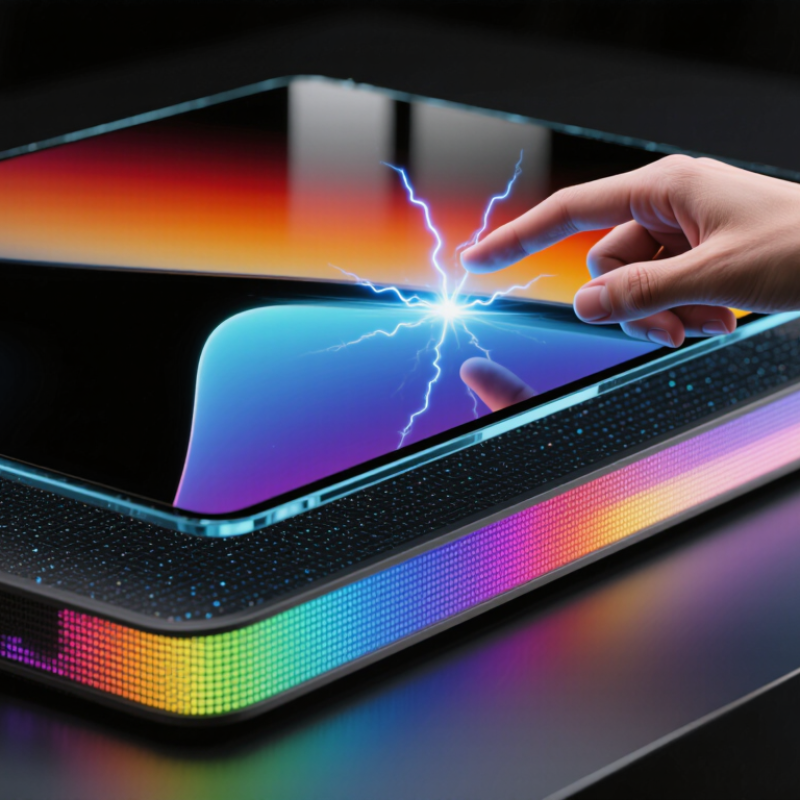
A touch OLED display combines two layers of technology: self-emitting OLED pixels and a touch-sensing grid. Each OLED pixel creates its own light, so the panel needs no separate backlight. This allows deep blacks, thin construction, and strong contrast. The touch layer detects changes in electrical capacitance when a finger approaches the glass. A controller then translates that change into a tap, swipe, or pinch.
The process feels immediate, but it is carefully engineered. Transparent electrodes sit above or inside the display stack. They scan rows and columns many times per second. The controller filters accidental signals from moisture, gloves, or electrical noise. In practical testing, response quality depends on more than pixel speed. Cover-glass thickness, firmware tuning, temperature, and finger size also matter. Omdia’s 2024 Display Long-Term Demand Forecast expects OLED to exceed half of smartphone display shipments by 2030. DSCC’s 2024 OLED Shipment and Technology Report also identifies flexible OLED as a major growth area. These figures suggest wider adoption, not automatic perfection.
Tips: Check touch performance with dry and damp fingers. Test edge gestures, low brightness, and protective glass together. A display can look excellent yet feel slightly delayed. That difference is easy to miss in a showroom. I would also question simple claims about “instant” response, because measurement methods vary between reports and devices.
| Data Dimension | What It Means | How It Works or Typical Characteristics |
|---|---|---|
| Basic definition | A display that combines OLED image emission with an integrated touch-sensing system. | The OLED creates the image, while the touch layer detects finger or stylus input and sends coordinates to a controller. |
| OLED light generation | Each pixel produces its own light rather than using a separate backlight. | Organic light-emitting layers release light when electrical current passes through them. Red, green, and blue subpixels combine to form colors. |
| Pixel control | Most modern OLED panels use an active-matrix backplane. | Thin-film transistors control the current delivered to individual pixels, allowing precise brightness and image updates. |
| Touch-sensing method | The most common method is projected capacitive sensing. | A transparent electrode grid creates an electrical field. A conductive finger changes the local capacitance, allowing the system to identify a touch location. |
| Touch-layer structure | The sensing electrodes are placed above, within, or beneath the display stack. | On-cell and in-cell designs integrate touch components more closely with the OLED panel, reducing thickness and the distance between the finger and image. |
| Typical layer sequence | A touch OLED may contain several transparent and protective layers. | A typical stack includes a cover surface, touch electrodes, encapsulation, OLED emitting layers, the transistor backplane, and a supporting substrate. Exact order varies by design. |
| Touch response process | Touch input is converted into digital coordinates. | The controller scans the electrode grid, measures capacitance changes, filters noise, calculates the touch position, and reports it to the operating system. |
| Black-level performance | OLED pixels can be turned off individually. | An inactive pixel emits essentially no light, which enables very dark blacks and high perceived contrast in suitable viewing conditions. |
| Viewing angle | OLED displays generally maintain image quality over a wide viewing angle. | Because light is generated at the pixel rather than passing through a backlight assembly, color and contrast can remain relatively consistent when viewed off-axis. |
| Response characteristics | OLED pixels can change brightness quickly, while touch latency depends on the complete touch system. | Perceived responsiveness is affected by pixel response, touch scanning, controller processing, software, and display refresh timing. |
| Multitouch capability | A capacitive touch grid can detect multiple contact points. | The controller tracks separate changes across the electrode matrix, supporting gestures such as pinch-to-zoom and two-finger scrolling when enabled by software. |
| Power behavior | Power use varies with displayed content and brightness. | Dark pixels require little or no light-emission current, while bright, large areas generally require more power. Touch electronics also consume a smaller amount of system power. |
| Thickness and design flexibility | OLED panels can be thin, and some constructions can be made flexible. | The absence of a separate backlight can reduce stack thickness. Flexible versions use bendable substrates and require specialized encapsulation and mechanical protection. |
| Important limitations | Performance and service life depend on materials, driving conditions, and usage patterns. | Potential concerns include image retention or burn-in after prolonged repeated content, sensitivity to moisture, variable outdoor visibility, and higher manufacturing complexity. |
| Common applications | Touch OLED displays are used where interactive visuals and compact construction are valuable. | Examples include mobile devices, wearable electronics, vehicle interfaces, portable equipment, control panels, and other interactive products. |
An OLED display creates light inside each pixel, so it does not need a separate backlight. Each pixel contains organic emissive material between two electrical layers. When controlled current passes through it, electrons and holes meet within the emissive layer. Their energy produces photons, or visible light.
Tiny red, green, and blue subpixels combine at different brightness levels. Their mixture forms the colors seen in photos, text, and video. A display controller adjusts current rapidly, sometimes using pulse-width control. Higher current usually creates brighter light. When a pixel receives no power, it can appear nearly black. This creates strong contrast, especially in dark scenes. The process sounds simple, but accurate color still depends on calibration, temperature, and panel aging.
A touch OLED adds a transparent sensing layer above the display. A finger changes the local electrical field, and the touch controller measures that change. It then converts the position into coordinates for the operating system. The response feels immediate because sensing and image updates occur many times each second. Thin construction also allows curved or flexible panels. However, the touch layer may slightly reduce clarity, while prolonged static images can cause uneven aging. That limitation deserves attention. OLED engineering continues to improve, yet no panel is perfect.
A touch OLED display combines self-lit pixels with a transparent touch-sensing layer. The OLED pixels create the image, while the touch layer detects changes near the glass. Most modern panels use capacitive sensing. Tiny electrodes form a hidden grid across the screen. The grid is invisible during normal use.
A controller sends weak electrical signals through these electrodes and measures their capacitance. A bare finger changes the local electric field because the human body conducts electricity. The controller compares nearby readings and calculates the touch position. It can detect several fingers by scanning the grid repeatedly, often hundreds of times per second. Fast scanning helps taps and swipes feel immediate.
The process is not perfectly simple. A wet screen, thick gloves, or a damaged cover can distort the signal. Electrical noise from charging circuits may also create false readings. Engineers use filtering, shielding, and calibration to reduce these errors. The controller may examine the touch area’s shape and strength, not only its center point. This helps distinguish a fingertip from accidental contact. Styluses can work differently, especially when they transmit a separate signal.
The explanation sounds neat, but real screens are less tidy. A touch can still feel delayed. That delay may come from sensing, software processing, or display refresh timing. Careful testing with different fingers, temperatures, and screen protectors remains important.
OLED touch displays combine two systems in one thin surface. OLED pixels generate their own light, while a TFT backplane controls each pixel’s brightness. Touch electrodes detect a finger through changes in mutual capacitance. The display controller refreshes pixels, and the touch controller scans electrode rows and columns. They work separately, but timing must remain coordinated.
A finger changes the local electric field by a very small amount. The controller compares that signal with nearby measurements, then calculates position, movement, and pressure estimates. On-cell and in-cell designs place touch electrodes closer to the OLED layers, reducing thickness and improving optical clarity. However, the structure can become more sensitive to electrical noise. That trade-off is easy to miss.
Omdia’s 2024 Smartphone Display Market Tracker indicated that OLED panels represented roughly half of smartphone panel shipments in 2023, depending on the counting method. DSCC’s 2024 OLED Shipment and Fab Utilization Report also described continued OLED capacity expansion for mobile and computing products. More panels do not automatically mean better touch performance. A practical check involves testing wet fingers, gloves, edge touches, and rapid gestures. Weak calibration may create missed taps or false touches. Engineers still adjust filtering, scan frequency, and grounding for each panel design. The compromise is not perfect.
The chart shows the time interval between updates at common touch-scan and OLED-refresh rates. The interval is calculated as 1,000 ÷ rate in hertz, so higher rates reduce the time available to detect a touch or display a new frame. A touch OLED system combines the touch sensor layer, controller, display driver, and OLED pixels to turn finger input into a visible response.
Touch OLED displays combine self-emitting pixels with a transparent touch-sensing layer. Each pixel creates its own light, so the panel needs no backlight. A finger changes the electrical field above the sensor, and the controller converts that change into a command. The result feels immediate, especially when scrolling through dark interfaces.
Their strongest uses are smartphones, vehicle dashboards, medical instruments, industrial controls, and premium portable computers. Omdia’s 2024 display forecast expects OLED notebook and monitor shipments to exceed 10 million units in 2025. The data suggests broader adoption, not just luxury placement. In cars, a bright screen remains readable inside a sunlit cabin. In factories, operators can tap large icons while wearing thin gloves. That detail matters more than impressive specifications.
Limitations become obvious during long service. Static menus can cause uneven pixel aging, often called burn-in. High brightness also increases power demand, especially on white screens. Touch accuracy may fall with moisture, thick gloves, or a damaged surface. According to Display Supply Chain Consultants’ 2024 OLED market analysis, OLED production costs remain higher than conventional liquid-crystal alternatives, partly because manufacturing yields are more difficult to control. Flexible panels add further complexity. They look nearly indestructible, but repeated bending still creates mechanical stress. The industry sometimes treats thinner design as automatic progress. It is not. Repairability, heat management, and long-term image stability deserve equal attention.